


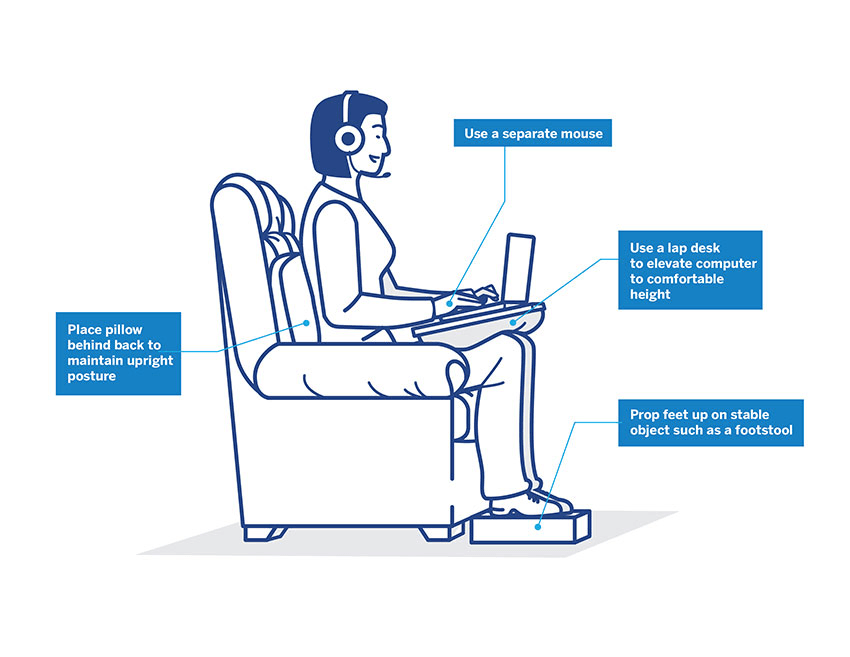
With the rise of remote work, spine specialists are seeing a significant increase in patients complaining of neck, shoulder, and lower back pain. Often, the culprit is a poorly set-up home office.
Here are five simple ergonomic adjustments you can make today to protect your spine:
1. Keep Your Screen at Eye Level Looking down at a laptop for hours forces your neck into a forward-flexed position, drastically increasing the load on your cervical spine. Use a laptop stand or external monitor so the top third of your screen is at eye level.
2. Support Your Lower Back Your lower back has a natural inward curve. If your chair doesn’t support this curve, you will eventually slouch. Use an ergonomic chair with lumbar support, or place a rolled-up towel or small cushion behind your lower back.
3. Keep Your Feet Flat on the Floor Dangling your feet or sitting cross-legged throws your pelvis out of alignment, putting stress on your spine. Adjust your chair height so your feet rest flat on the floor and your knees are at or slightly below hip level. Use a footrest if necessary.
4. Follow the 20-20-20 Rule Staying in one posture for too long causes muscle fatigue. Every 20 minutes, look at something 20 feet away for at least 20 seconds. Better yet, stand up, stretch your back, and walk around for a minute.
5. Keep Your Keyboard Close Reaching forward for your keyboard and mouse rounds your shoulders and strains your upper back. Keep your elbows bent at a 90-degree angle and close to your body.
Protecting your spine while working from home doesn’t require an expensive setup, just mindful habits!
